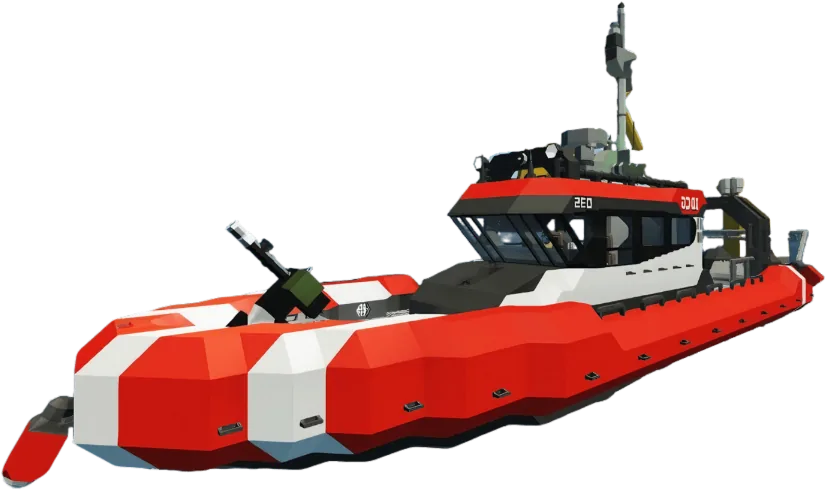
Rescue in Stormworks with our premium server hosting. Affordable plans from $1/GB offer unlimited SSD storage, unlimited player slots, and superior DDoS protection.
RYZEN 9 POWER – INSTANT SETUP – BUILT-IN AI COPILOT
HÉBERGEMENT PROPULSÉ PAR L'AI
Dis-lui simplement ce que tu veux. L'AI gère ton serveur pour toi.
Pas de menus confus. Pas de wiki à lire. Écris ce que tu veux — comme un message à un ami — et c'est fait en quelques secondes.
Stormworks: Build and Rescue
Pendant que tu joues avec tes amis, l'AI garde ton serveur en marche.
Ton AI
➤➤➤
Your Stormworks: Build and Rescue world
Installe les mods que je veux sur mon serveur
Installés. Je redémarre le serveur pour que tu puisses jouer ?
Pourquoi mon serveur Stormworks: Build and Rescue a-t-il planté ?
Il a manqué de mémoire. Je lui ai donné plus de RAM — ça devrait rouler maintenant.
Mets 50 joueurs max et désactive le PvP
Réglé — 50 joueurs, PvP désactivé. Je le redémarre maintenant ?
Sauvegarde mon serveur avant que je change des trucs
Sauvegarde enregistrée et verrouillée pour ne pas être supprimée. Tout est sûr !
FichiersMods et pluginsRéparer les plantagesParamètresSauvegardesPlanificationsVersions du jeuDémarrer et arrêter
AUCUNE COMPÉTENCE TECHNIQUE REQUISE
Tu joues. L'AI fait les corvées.
Les autres hébergeurs te donnent un panel et un wiki géant en te souhaitant bon courage. Nous te donnons une AI qui l'a déjà lu pour toi.
Stormworks: Build and Rescue
Pas de commandes. Pas de fichiers de config. Juste jouer.
Les autres hébergeurs
Débugger à 3 h du matin
Lire 12 pages de wiki juste pour ajouter un mod
Veiller jusqu'à 3 h du matin pour réparer un plantage
Éditer des fichiers de config obscurs pour chaque changement
Chercher la bonne version d'un mod sur 3 sites différents
Configurer les sauvegardes à la main en espérant qu'elles marchent
Bidouiller les réglages en priant pour que rien ne casse
VS
Avec GameTeam AI
Une phrase. C'est fait.
Installe mon serveur, ajoute les add-ons que je veux, optimise-le et sauvegarde-le chaque nuit.
Commence à explorer le monde de Stormworks: Build and Rescue !
Joue à Stormworks: Build and Rescue en multijoueur
Welcome to Stormworks: Build and Rescue, a detailed simulation game where you design, build, and pilot your own rescue vehicles in a dynamic and challenging world. Take on various rescue missions, from daring sea rescues to complex aerial operations, using your custom-built vehicles. With its advanced physics engine and extensive building tools, Stormworks offers a deep and immersive experience for creative engineers and rescue enthusiasts alike.
Our Stormworks: Build and Rescue server hosting enhances your creative and rescue operations by providing a stable and high-performance platform for multiplayer gameplay. Host up to 32 players on our robust servers, ensuring smooth and responsive gameplay as you and your friends collaborate on building projects and execute daring rescues together. Customize your server settings, create your own scenarios, and enjoy a seamless, lag-free environment while navigating the challenges of Stormworks. With easy setup and dedicated support, you can focus on designing innovative rescue vehicles, coordinating missions, and saving lives while we handle the technical details. Join forces with friends, unleash your creativity, and master the art of rescue in Stormworks: Build and Rescue.
Pourquoi héberger Stormworks: Build and Rescue chez GameTeam ?
Exceptional Performance for Everyone
Engage in the ultimate rescue simulation in Stormworks: Build and Rescue with GameTeam, where hosting your server transforms into an unparalleled experience! Design and operate rescue missions with the peace of mind that comes from lightning-fast, reliable servers, ensuring a smooth and uninterrupted journey. Our 24/7 support stands guard, ready to assist you at every rescue, while our one-click mod installations let you customize your missions with ease.
Choosing GameTeam means embracing the freedom to build, rescue, and save without limits. Our up-to-date hardware guarantees that your server keeps up with the action, handling every thrilling Stormworks: Build and Rescue moment like a pro. With GameTeam, you're not just playing Stormworks: Build and Rescue; you're stepping into a hassle-free world where the horizons of your adventure are as boundless as the ocean itself.
Effortless Setup
Set up your Stormworks: Build and Rescue server quickly and easily. Choose your plan, configure your settings, and launch in minutes. We handle the technical details so you can focus on the game.
High-Performance Servers
Experience Stormworks: Build and Rescue with our high-performance servers. Enjoy smooth gameplay and minimal latency for a reliable gaming experience.
Advanced Control Panel
Manage your Stormworks: Build and Rescue server with ease. Customize settings, install mods, and monitor your server with our advanced control panel.
Secure and Reliable
Your Stormworks: Build and Rescue server is protected with advanced security measures. Regular backups and proactive monitoring ensure a stable gaming environment.
Expert Support
Our support team is ready to assist with any issues. From technical help to general inquiries, our experts ensure your Stormworks: Build and Rescue server runs smoothly.
Transparent Pricing
Choose the right plan for your Stormworks: Build and Rescue server with clear and fair pricing. No hidden fees, just straightforward costs to fit your needs.
Ne va pas loin
Nos serveurs sont présents partout dans le monde.
Questions fréquentes
Les questions que tu te poses peut-être.
FAQ hébergement de serveur Stormworks: Build and Rescue.
What is Stormworks: Build and Rescue Server Hosting?
Stormworks: Build and Rescue is a multiplayer rescue simulation game where players must design and operate rescue missions. Players can gather resources, build rescue vehicles, and save lives. Our Stormworks: Build and Rescue Server Hosting service allows you to create and customize your own server, enabling you and your friends to explore and rescue together in this vibrant world.
How much RAM for Stormworks: Build and Rescue server hosting?
At least 6GB of RAM is recommended to play Stormworks: Build and Rescue without experiencing lags, freezes, or crashes. Thanks to the unlimited disk space and 10gbit/s internet speed we offer for free, you do not need anything else.
What is the max player limit in Stormworks: Build and Rescue?
GameTeam doesn't have a limit on how many players can join on your server. However, the game infrastructure allows a maximum of 32 players at the moment. (In some games, the number of players can be increased with mods and plugins. Please check the official game documentation for detailed information.)
How to make a Stormworks: Build and Rescue server?
Creating a Stormworks: Build and Rescue server hosting on GameTeam is a breeze. Just signup with one of the plans, select your server details and let our automated set up wizard handle rest of the technical details for you magically in no time.
How do I change Stormworks: Build and Rescue server settings?
To change your Stormworks: Build and Rescue server settings, log into your GameTeam dashboard, navigate to your server control panel, and edit the configuration files directly from there. Don't forget to save changes and restart your server for them to take effect.
How to backup my Stormworks: Build and Rescue server?
You can backup your Stormworks: Build and Rescue server by accessing the backup tool in your server control panel on GameTeam. Choose the 'Backup Now' option and the system will create a backup of your server's current state.
How long before my Stormworks: Build and Rescue server is activated?
itemprop="text"Your Stormworks: Build and Rescue server will typically be activated within seconds after your payment, ensuring you can start playing with little to no downtime.
FAQ hébergement de serveur Stormworks: Build and Rescue.
How to move my Stormworks: Build and Rescue server to GameTeam?
To transfer your Stormworks: Build and Rescue server to GameTeam, reach out to our support team for a migration service. Ensure you have your server data ready, and we'll guide you through the process step by step. We've also published a guide on how to migrate your server to GameTeam yourself.
How do I update my Stormworks: Build and Rescue server?
Updates for your Stormworks: Build and Rescue server can be easily applied through the GameTeam dashboard. Navigate to your server control panel, click on the 'Stop' server button, and start the server. The system will automatically update your server to the latest version.
I'm having problems with my Stormworks: Build and Rescue server, can you help?
Absolutely, our GameTeam support team is available 24/7 to help resolve any issues with your Stormworks: Build and Rescue server. Contact us through the support ticket system within your control panel.
Can I cancel, upgrade, or downgrade my Stormworks: Build and Rescue server?
You can manage your Stormworks: Build and Rescue server subscription at any time. Cancel, upgrade, or downgrade through your GameTeam Billing account dashboard or contact support for assistance.
Can I switch my Stormworks: Build and Rescue server to a different game?
Yes, you can switch your server so that you can run it with a different game whenever you want. We provide more than 70 games and it is completely your choice which one you want to play.
Can I change my Stormworks: Build and Rescue server location?
Yes, you can change the location and there will be no data loss in the process. Transfer processes are completely automatic and your server is transferred to the location you want within a few minutes.
Stormworks: Build and Rescue
Official Game Trailer
Tutoriels serveurs de jeu
Don't get lost in search engines. All the tutorials you need are on our blog.