



A Minecraft server address is simply the location where your game connects to play with others. It’s the digital equivalent of telling someone where to meet you—without it, players have no way to find your server.
Whether you’re joining a friend’s realm, connecting to a public server, or running your own, understanding server addresses is essential. This guide breaks down exactly what they are, how they work, and how to use them properly.
What Is a Minecraft Server Address?
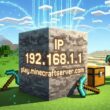
A Minecraft server address (also called a server IP or hostname) is a unique identifier that tells your game client where to connect on the network. Think of it like a street address for a building—it pinpoints the exact location of the server so your game can find it and establish a connection.
Server addresses come in two formats:
- IP addresses: Numeric strings like 192.168.1.100 or 203.0.113.45
- Domain names: Text-based addresses like play.example.com or survival.gameteam.io
Both do the same job—they route your connection to the correct server. Domain names are just more human-friendly than memorizing numbers.
IP Addresses vs. Domain Names: Which One Matters?
You’ll encounter both types when joining servers, and it helps to understand the difference.
IP Addresses (The Technical Route)
An IP address is the raw network identifier. Every device on the internet has one. For Minecraft servers, you’ll see either:
- IPv4: Four numbers separated by dots (example: 203.0.113.45:25565)
- IPv6: Longer hexadecimal format (less common for Minecraft)
The number after the colon (like :25565) is the port—it’s the specific channel the server listens on. Port 25565 is the default for Minecraft Java Edition, but custom ports can be used for multiple servers on the same IP.
Domain Names (The User-Friendly Option)
A domain name is a memorable text address that points to an IP address behind the scenes. Instead of remembering 203.0.113.45, you remember play.myserver.com. Your DNS system automatically translates the domain to the IP when you connect.
Domain names are way easier to share with friends and more professional for public servers. If you ever need to move your server to different hardware, you just update the domain’s DNS records—players don’t need a new address.
How Server Addresses Work Behind the Scenes
When you enter a server address in Minecraft and hit connect, several things happen instantly:
- Your client reads the address you entered (IP or domain)
- If it’s a domain, DNS lookup occurs to convert it to an IP address
- Your game sends a connection request to that IP on the specified port
- The server receives and accepts the connection (if it’s online and has space)
- You’re authenticated and loaded into the world
This all happens in seconds. If any step fails—wrong address, server offline, port blocked—you’ll get an error message like “Can’t connect to server” or “Connection timed out.”
Where to Find Server Addresses
Server addresses come from different sources depending on how you’re playing:
Friends’ Private Servers
Your friend simply tells you the address. They can find it by checking their server settings or asking their hosting provider.
Public Server Listings
Websites like Minecraftservers.org, PlanetMinecraft, and Minecraft-mp.com list thousands of public servers with their addresses. You can filter by game mode, player count, and version.
Server Hosting Providers
If you rent a server from a host like GameTeam, they provide your address immediately after setup. You’ll find it in your control panel. (Get started with high-performance Minecraft hosting from just $1/GB—20% off for a limited time.)
Realm Codes
Minecraft Realms use special codes instead of traditional addresses. You share a code with friends, and they use it to join directly through the Realms interface.
Joining a Server Using Its Address
The process differs slightly between Java Edition and Bedrock, but both are straightforward.
Java Edition
- Open Minecraft and click Multiplayer
- Click Add Server
- Enter a name for the server (anything you want)
- Paste the server address in the Server Address field
- Click Done, then double-click the server to join
Bedrock Edition
Bedrock servers work similarly, but you’ll navigate to the Servers tab, click Add Server, and enter the address along with the port number.
Common Server Address Issues and Fixes
Even with the right address, connection problems happen. Here’s what to check:
Server Not Found / Invalid Address
Problem: You typed the address wrong, or it’s outdated.
Fix: Double-check for typos. Copy-paste the address instead of typing it manually. Confirm the server is still active—some servers shut down or change addresses.
Connection Timed Out
Problem: The server is offline, overloaded, or blocking your connection.
Fix: Wait a few minutes and try again. Check if the server’s status page shows it’s online. If you’re on a network with a firewall, it might be blocking the port. Learn more about timeout fixes here.
Server Full
Problem: The server has reached max player capacity.
Fix: Try again later when a player leaves. Some servers have a priority queue for donors or members.
Wrong Version
Problem: Your Minecraft version doesn’t match the server’s version.
Fix: Check what version the server runs. You may need to downgrade or upgrade your game launcher to match.
Static vs. Dynamic Server Addresses
When setting up your own server, you’ll hear about static and dynamic addresses.
Static IP addresses never change. They’re ideal for servers because players can always use the same address. Most hosting providers offer static IPs.
Dynamic IP addresses change periodically (usually assigned by your ISP). If you’re running a server from home on a dynamic IP, your address might change without warning, breaking connections for players. Solutions include using a domain name with dynamic DNS services or upgrading to a static IP.
Port Forwarding and Server Addresses
If you’re hosting from home, you need to port forward to make your server accessible. This tells your router to direct incoming connections on a specific port to your server computer.
Without port forwarding, players outside your local network can’t reach you—they’ll get connection timeouts even with the correct address.
Most modern routers have port forwarding settings in their admin panel. You’ll specify the port (usually 25565) and the internal IP of your server computer. It’s a one-time setup that makes a huge difference.
Why Server Address Matters for Your Game Experience
Getting the server address right is the first step to multiplayer gaming. A wrong address means no connection, period. But beyond just connecting, understanding how addresses work helps you:
- Troubleshoot connection problems faster
- Choose between public and private servers wisely
- Set up your own server correctly
- Keep playing even if a server moves to new hardware (via domain names)
It’s one of those foundational concepts that seems small but makes everything else possible.
FAQ
Can I play on a server without knowing its address?
No. You need either the IP address or domain name to connect. The only exception is Minecraft Realms, which uses invite codes instead.
Is a server address the same as a Minecraft username?
Not at all. Your username identifies you as a player. The server address identifies the server you’re connecting to. You need both to join a server.
What does the port number in a server address do?
The port (the number after the colon) tells your connection which specific service on that IP address to reach. Multiple servers can run on the same IP if they use different ports. Port 25565 is the default for Minecraft.
Can I change my server’s address after players join?
If you use a domain name, you can change the underlying IP without players noticing—just update your DNS records. If you’re using a raw IP, players will need a new address. This is why domain names are better for long-term servers.
Do I need a static IP to run a Minecraft server?
If you’re using a domain name with dynamic DNS, no. But if you’re giving out a raw IP address, a static IP prevents your address from changing and breaking connections.
Final Thoughts
A Minecraft server address is your entry point to multiplayer gaming. Whether it’s a string of numbers or a domain name, it’s the critical link between your game and the world you want to play in. Master the basics of finding, entering, and troubleshooting addresses, and you’ll spend less time frustrated and more time playing.
Ready to run your own server? Reliable hosting with static addresses and zero downtime makes all the difference. GameTeam provides high-performance Minecraft server hosting starting at just $1/GB—and right now, get 20% off for a limited time.