

HOSTING CON AI

7 Days to Die Server Hosting.

Survive the apocalypse in 7 Days to Die with our top-tier server hosting. Starting at $1/GB, enjoy unlimited SSD storage, unlimited player slots, and superior DDoS protection for seamless gameplay.

RYZEN 9 POWER – INSTANT SETUP – BUILT-IN AI COPILOT
HOSTING CON AI

Solo dile lo que quieres.
La AI gestiona tu servidor por ti.

Sin menús confusos. Sin wikis que leer. Escribe lo que quieres —como si le mandaras un mensaje a un amigo— y estará hecho en segundos.

7 Days to Die

Mientras juegas con tus amigos, la AI mantiene tu servidor en marcha.

Instala en mi servidor los mods que quiero
Instalados. ¿Reinicio el servidor para que puedas jugar?
¿Por qué se cayó mi servidor de 7 Days to Die?
Se quedó sin memoria. Le he dado más RAM: ahora debería ir fino.
Pon 50 jugadores máximo y desactiva el PvP
Hecho: 50 jugadores, PvP desactivado. ¿Lo reinicio ahora?
Haz una copia de mi servidor antes de que cambie cosas
Copia guardada y bloqueada para que no se borre. ¡Todo a salvo!
Archivos Mods y plugins Arreglar caídas Ajustes Copias de seguridad Tareas programadas Versiones del juego Iniciar y parar
NO HACEN FALTA CONOCIMIENTOS TÉCNICOS

Tú juegas. La AI hace lo aburrido.

Otros proveedores te dan un panel y una wiki enorme para que te las apañes. Nosotros te damos una AI que ya se la ha leído por ti.

7 Days to Die

Sin comandos. Sin archivos de configuración. Solo juega.

Otros proveedores

Depurar a las 3 de la mañana

  • Leer 12 páginas de wiki solo para añadir un mod
  • Quedarte hasta las 3 de la mañana intentando arreglar una caída
  • Editar archivos de configuración confusos para cada cambio
  • Buscar en 3 webs la versión correcta de un mod
  • Configurar las copias a mano y esperar que funcionen
  • Tocar ajustes y rezar para que nada se rompa
VS
Con GameTeam AI

Una frase. Listo.

Monta mi servidor, instala los complementos que quiero, ajústalo para que vaya fino y haz copia cada noche.
Servidor montado
Complementos instalados
Ajustado para un rendimiento fluido
Copias nocturnas activadas
Iniciando tu servidor

7 Days to Die

Choose a plan that suits you best and play!

Budget

Budget Servers

$0.49 USD / per GB RAM
  • Ryzen 9 CPUs
  • Unlimited Player Slots
  • 25 GB NVMe SSD Storage
  • 160 Gbps DDoS Protection
  • Switching Between Games
  • Instant Activation
CHOOSE BUDGET
Most Popular
Premium

Premium Servers

$0.74 USD / per GB RAM
  • Ryzen 9 CPUs
  • Unlimited Player Slots
  • Unlimited NVMe SSD Storage
  • 480 Gbps DDoS Protection
  • Switching Between Games
  • Instant Activation
  • Dedicated Threads
  • Automatic Backups
  • Priority Support
CHOOSE PREMIUM
Billing term for — switch the tier above anytime

7 Days to Die

¡Empieza a explorar el mundo de 7 Days to Die!

Welcome to the unforgiving world of 7 Days to Die, where survival horror meets open-world crafting. In this brutal post-apocalyptic landscape, you must gather resources, build shelters, and fend off relentless zombie hordes. The game combines first-person shooter, survival horror, and tower defense elements to deliver a uniquely intense experience. As you navigate the desolate world, every decision matters—craft weapons, fortify your base, and scavenge for supplies to survive another night.


Our 7 Days to Die server hosting elevates your gameplay, allowing you to collaborate or compete with others in a persistent online environment. With our high-performance servers, you can host up to 24 players, ensuring a smooth and immersive experience. Whether you're building a fortress or leading a raid, our servers provide the stability and support needed to enhance your survival adventure. Join forces with friends or face the apocalypse alone—either way, your story of survival begins here.

GameTeam está detrás de ti

¿Por qué alojar 7 Days to Die con GameTeam?

Experience the ultimate survival challenge in 7 Days to Die with GameTeam, where hosting your server transforms into an unparalleled experience! Dive into the post-apocalyptic world with the peace of mind that comes from lightning-fast, reliable servers, ensuring a smooth and uninterrupted journey. Our 24/7 support stands guard, ready to assist you at every twist and turn, while our one-click mod installations let you customize your survival tactics with ease.


Choosing GameTeam means embracing the freedom to scavenge, build, and fight without limits. Our up-to-date hardware guarantees that your server keeps up with the action, handling every heart-pounding 7 Days to Die moment like a pro. With GameTeam, you're not just playing 7 Days to Die; you're stepping into a hassle-free world where the horizons of your adventure are as boundless as your survival instincts.

Launch your 7 Days to Die server in no time. Pick your plan, tweak the settings, and get started instantly. We handle the tech side, so you can dive into the game.

Play 7 Days to Die on our top-tier servers. Enjoy seamless gameplay and minimal lag for a flawless experience.

Effortlessly manage your 7 Days to Die server. Adjust settings, add mods, and monitor your server with our intuitive control panel.

Your 7 Days to Die server is safe with us. Our advanced security and regular backups ensure a stable and secure gaming environment.

Our expert support team is here to help. Whether you need technical assistance or have questions, we are ready to ensure your 7 Days to Die server runs smoothly.

Select the best plan for your 7 Days to Die server with transparent and fair pricing. No hidden costs, just clear rates to suit your needs.

No te vayas lejos

Nuestros servidores están por todo el mundo.

Preguntas frecuentes

Preguntas que quizá te estés haciendo.

Icon

Preguntas frecuentes sobre hosting de 7 Days to Die.

What is 7 Days to Die Server Hosting?

7 Days to Die is a multiplayer survival horror game that combines first-person shooter, survival horror, tower defense, and role-playing elements. Players must scavenge for supplies, build shelters, and defend against hordes of zombies. Our 7 Days to Die Server Hosting service lets you create and customize your own server, enabling you and your friends to survive together in this post-apocalyptic world.

How much RAM for 7 Days to Die server hosting?

At least 8GB of RAM is recommended to play 7 Days to Die without experiencing lags, freezes, or crashes. Thanks to the unlimited disk space and 10gbit/s internet speed we offer for free, you do not need anything else.

What is the max player limit in 7 Days to Die?

GameTeam doesn't have a limit on how many players can join on your server. However, the game infrastructure allows a maximum of 32 players at the moment. (In some games, the number of players can be increased with mods and plugins. Please check the official game documentation for detailed information.)

How to make a 7 Days to Die server?

Creating a 7 Days to Die server hosting on GameTeam is a breeze. Just signup with one of the plans, select your server details and let our automated set up wizard handle rest of the technical details for you magically in no time.

How do I change 7 Days to Die server settings?

To change your 7 Days to Die server settings, log into your GameTeam dashboard, navigate to your server control panel, and edit the configuration files directly from there. Don't forget to save changes and restart your server for them to take effect.

How to backup my 7 Days to Die server?

You can backup your 7 Days to Die server by accessing the backup tool in your server control panel on GameTeam. Choose the 'Backup Now' option and the system will create a backup of your server's current state.

How long before my 7 Days to Die server is activated?

itemprop="text"Your 7 Days to Die server will typically be activated within seconds after your payment, ensuring you can start playing with little to no downtime.

Icon

Preguntas frecuentes sobre hosting de 7 Days to Die.

How to move my 7 Days to Die server to GameTeam?

To transfer your 7 Days to Die server to GameTeam, reach out to our support team for a migration service. Ensure you have your server data ready, and we'll guide you through the process step by step. We've also published a guide on how to migrate your server to GameTeam yourself.

How do I update my 7 Days to Die server?

Updates for your 7 Days to Die server can be easily applied through the GameTeam dashboard. Navigate to your server control panel, click on the 'Stop' server button, and start the server. The system will automatically update your server to the latest version.

I'm having problems with my 7 Days to Die server, can you help?

Absolutely, our GameTeam support team is available 24/7 to help resolve any issues with your 7 Days to Die server. Contact us through the support ticket system within your control panel.

Can I cancel, upgrade, or downgrade my 7 Days to Die server?

You can manage your 7 Days to Die server subscription at any time. Cancel, upgrade, or downgrade through your GameTeam Billing account dashboard or contact support for assistance.

Can I switch my 7 Days to Die server to a different game?

Yes, you can switch your server so that you can run it with a different game whenever you want. We provide more than 70 games and it is completely your choice which one you want to play.

Can I change my 7 Days to Die server location?

Yes, you can change the location and there will be no data loss in the process. Transfer processes are completely automatic and your server is transferred to the location you want within a few minutes.

7 Days to Die

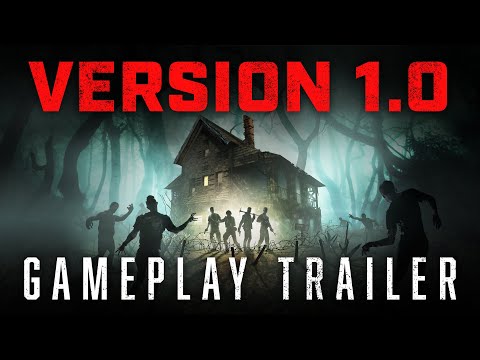
Official Game Trailer

7 Days to Die trailer

Tutoriales de servidores de juego

Don't get lost in search engines.
All the tutorials you need are on our blog.