Fortify, scavenge and survive the seventh night with your crew while the AI copilot keeps the world running between blood moons. Plans start at $0.49/GB.
PUISSANCE RYZEN 9 – INSTALLATION INSTANTANÉE – COPILOTE AI INCLUS
HÉBERGEMENT PROPULSÉ PAR L'AI
Dis-lui simplement ce que tu veux. L'AI gère ton serveur pour toi.
Pas de menus confus. Pas de wiki à lire. Écris ce que tu veux — comme un message à un ami — et c'est fait en quelques secondes.
7 Days to Die
Pendant que tu joues avec tes amis, l'AI garde ton serveur en marche.
Ton AI
Ton monde 7 Days to Die
Mods et plugins
Installe les mods que je veux sur mon serveur
AI
Installés. Je redémarre le serveur pour que tu puisses jouer ?
Réparer les plantages
Pourquoi mon serveur 7 Days to Die a-t-il planté ?
AI
Il a manqué de mémoire. Je lui ai donné plus de RAM — ça devrait rouler maintenant.
Paramètres
Mets 50 joueurs max et désactive le PvP
AI
Réglé — 50 joueurs, PvP désactivé. Je le redémarre maintenant ?
Sauvegardes
Sauvegarde mon serveur avant que je change des trucs
AI
Sauvegarde enregistrée et verrouillée pour ne pas être supprimée. Tout est sûr !
Fichiers
Mods et plugins
Réparer les plantages
Paramètres
Sauvegardes
Planifications
Versions du jeu
Démarrer et arrêter
AUCUNE COMPÉTENCE TECHNIQUE REQUISE
Tu joues. L'AI fait les corvées.
Les autres hébergeurs te donnent un panel et un wiki géant en te souhaitant bon courage. Nous te donnons une AI qui l'a déjà lu pour toi.
7 Days to Die
Pas de commandes. Pas de fichiers de config. Juste jouer.
Les autres hébergeurs
Débugger à 3 h du matin
Lire 12 pages de wiki juste pour ajouter un mod
Veiller jusqu'à 3 h du matin pour réparer un plantage
Éditer des fichiers de config obscurs pour chaque changement
Chercher la bonne version d'un mod sur 3 sites différents
Configurer les sauvegardes à la main en espérant qu'elles marchent
Bidouiller les réglages en priant pour que rien ne casse
VS
Avec GameTeam AI
Une phrase. C'est fait.
Installe mon serveur, ajoute les add-ons que je veux, optimise-le et sauvegarde-le chaque nuit.
Période de facturation pour — tu peux changer d'offre ci-dessus à tout moment
7 Days to Die
Commence à explorer le monde de 7 Days to Die !
Joue à 7 Days to Die en multijoueur
A zombie survival game on a seven-day clock: every seventh night the horde comes for you, and everything before it is preparation — scavenging, crafting, digging in. The world is fully destructible, so your fortress is whatever you can build and hold, and with a group the loot runs get bolder and the walls get taller.
GameTeam est derrière toi
Pourquoi héberger 7 Days to Die chez GameTeam ?
Why 7 Days to Die Players Choose GameTeam
Blood moons come every seven days, and so does the question of whether your group is still playing. Pay week to week and let the answer decide the bill. While they are, the server does the unglamorous part: tell the AI copilot to raise the horde count, extend the day, or find out why last night's restart failed, and it does — no XML editing at midnight. If the crew drifts to another game, this server becomes that game instead of a second subscription. And the first 72 hours are money-back if it is not for you.
Horde Night, Every Week
A world that runs on a seven-day cycle fits a plan that bills the same way — you are never paying for a month you did not survive.
Settings Without the XML
Zombie speed, loot, day length, difficulty — say it in plain words and the copilot writes it, then reads it back so you know it took.
One Server, Any Game
When the horde has been beaten enough times, switch this same server to whatever your group plays next.
Ne va pas loin
Nos serveurs sont présents partout dans le monde.
Questions fréquentes
Les questions que tu te poses peut-être.
FAQ hébergement de serveur 7 Days to Die.
How much RAM does 7 Days to Die need on a dedicated server?
6-8 GB suits most groups. Large random-gen maps, long-running worlds and heavy mod sets are happier at 12 GB or more, because the world state grows as chunks are explored and modified.
Can I install mods when hosting 7 Days to Die?
Yes. 7 Days to Die loads mods from the Mods folder, and most overhauls (Darkness Falls, Undead Legacy) ship as a folder you drop in. There is no Steam Workshop for the dedicated server, so mods are uploaded through the file manager.
How many players can 7 Days to Die support on one server?
8-16 is the comfortable range. Higher counts are possible, but zombie pathing and block updates are CPU-bound, so player count costs more performance here than in most survival games.
How do I change 7 Days to Die server settings on GameTeam?
Settings for 7 Days to Die live in serverconfig.xml, which you can edit directly in the panel file manager. You can also describe the change in plain language and let the GameTeam AI copilot make it — it reads the file first, applies the edit and reads the value back, so you can see what actually changed. Console access, power controls, backups and schedules stay available either way.
Comment créer un serveur 7 Days to Die ?
Créer un serveur 7 Days to Die prend quelques minutes : choisissez une offre, définissez vos options et l'assistant automatique s'occupe du reste. Aucune compétence technique requise.
FAQ hébergement de serveur 7 Days to Die.
Comment sauvegarder mon serveur 7 Days to Die ?
Dans le panel de votre serveur, ouvrez l'outil de sauvegarde et cliquez sur 'Backup Now' : le système enregistre l'état actuel de votre serveur 7 Days to Die.
Combien de temps prend l'activation d'un serveur 7 Days to Die ?
Votre serveur 7 Days to Die est actif quelques secondes après le paiement : vous pouvez jouer presque immédiatement.
Comment migrer mon serveur 7 Days to Die existant vers GameTeam ?
Nous prenons en charge la migration de votre serveur 7 Days to Die. Contactez le support, préparez vos données et nous vous guidons étape par étape. Si vous préférez le faire vous-même, un guide est disponible sur notre blog.
Comment mettre à jour mon serveur 7 Days to Die ?
Les mises à jour de 7 Days to Die se font depuis le panel : arrêtez le serveur avec 'Stop' puis relancez-le ; le système installe automatiquement la dernière version.
J'ai un problème avec 7 Days to Die, pouvez-vous m'aider ?
Bien sûr. Notre équipe est disponible 24h/24 et 7j/7 pour tout problème sur votre serveur 7 Days to Die. Ouvrez simplement un ticket depuis votre panel.
Puis-je annuler, améliorer ou réduire mon hébergement 7 Days to Die ?
Vous gérez votre hébergement 7 Days to Die quand vous le souhaitez : annulation, montée ou descente d'offre depuis votre espace de facturation, ou via le support.
Puis-je passer de 7 Days to Die à un autre jeu ?
Oui, tu peux basculer ton serveur sur un autre jeu quand tu veux. Nous proposons plus de 70 jeux et c'est toi qui choisis lequel tu veux jouer.
Puis-je changer l'emplacement de mon serveur 7 Days to Die ?
Oui, et sans aucune perte de données. Le transfert est entièrement automatique : votre serveur change de région en quelques minutes.
7 Days to Die
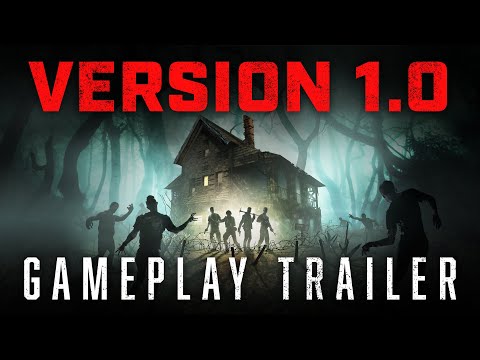
Official Game Trailer
Tutoriels serveurs de jeu
Ne te perds pas dans Google. Tous les guides dont tu as besoin sont sur notre blog.