
 English
 Deutsch
 Español
 Français
 Русский
 Türkçe
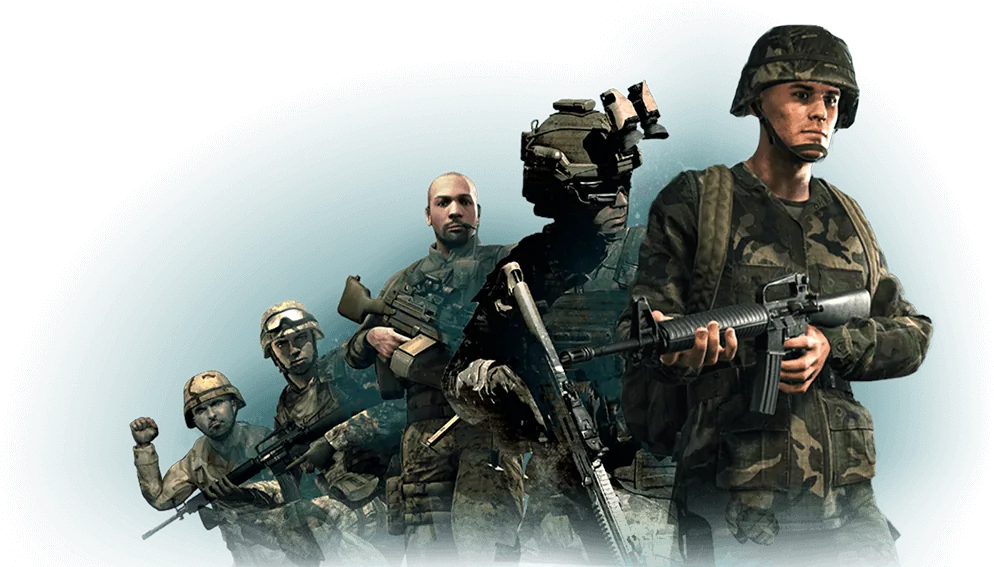
Arma Reforger Server Hosting
Fight the Cold War over Everon with your unit while the AI copilot keeps the front open.
What does an Arma Reforger server host need?
Arma Reforger server hosting needs 4–8 GB of RAM, the free Arma Reforger Server app (Steam app 1874900, which installs without owning the game), UDP port 2001 reachable, and a config.json that names your scenario and Workshop mods by ID. Run it on your own PC, or rent an Arma Reforger server that is ready to go. On GameTeam you pay per GB of RAM, from $0.49/GB a week, slots are unlimited (Reforger itself caps a server at 128 players), and the AI copilot edits the JSON for you and reads it back so one stray comma can't take the server down.
Run your Arma Reforger server by just asking.
Reforger puts the whole server in one JSON file, and the server quits without a word when that file is broken. Tell the copilot what you want — it writes config.json, checks it, adds mods by ID and reads the log when the server won't come up.
Config That Does Not Bite
The copilot writes the server JSON and reads it back, so a typo does not become a silent crash.
Scenario by ID
Tell it which scenario; it sets the ID and the mod list and confirms the server came up.
Weekly, Like Your Ops
Bill by the week and keep the server for the campaign, not the quarter.
Arma Reforger with friends
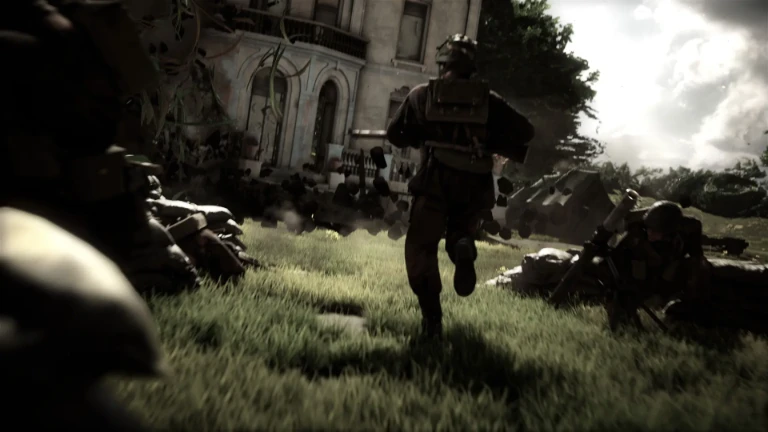
The Cold War Arma, on a modern engine: US and Soviet forces fighting for an island where supply lines and radio discipline matter as much as aim. Its Conflict mode is a war of attrition over towns and depots, and it rewards the group that plans together.
Arma Reforger server RAM requirements
4-8 GB. Reforger is lighter than Arma 3 at the same player count but scales with scenario size.
| Your server | Starting RAM | From (Budget, weekly) |
|---|---|---|
| Friends on Game Master or Combat Ops | 4 GB | $1.96 / week |
| 32–64 players on Conflict | 6 GB | $2.94 / week |
| Up to 128 players, or a big modpack | 8 GB | $3.92 / week |
Reforger is lighter than Arma 3 at the same player count, but RAM grows with the scenario, the AI and every mod you add. These are starting points: change RAM in one click from the panel and the server keeps its config and saves. Player limit: 32-128 depending on scenario.
How to set up a Arma Reforger server on GameTeam
Pick RAM and a location
4 GB is plenty for a few friends; Conflict with a full lobby wants 6–8 GB. Choose the location closest to your players from 25+ across Europe, the Americas and Asia-Pacific.
Tell it the scenario and mods
Ask the copilot for the scenario you want and paste the mod IDs from the Workshop, or edit config.json in the file manager. It writes the JSON and checks it before the server starts.
Have your squad join
Your server shows up in the in-game server browser under its name. Players search for it, enter the password if you set one, and the server's mods download on join.
Good to know before you start
The scenario is selected by ID in the server configuration rather than through a menu, so the scenario ID has to be looked up before first start.
The most common problem
A malformed JSON config stops the server silently — it exits without a clear error, so a missing comma looks like a crash.
Arma Reforger server settings explained
Everything lives in one JSON file passed with -config. Keys are case-sensitive, and a single missing comma or quote stops the server. The scenario is picked by ID; start the server once with -listScenarios to print the IDs it can load. The settings owners change most:
| Setting | What it does |
|---|---|
game.name | Server name in the server browser. |
game.password | Password to join. Empty means open. |
game.passwordAdmin | Password for #login in game. No spaces. |
game.admins | Identity IDs or Steam IDs that can #login without the password (up to 20). |
game.scenarioId | The scenario to run, e.g. {ECC61978EDCC2B5A}Missions/23_Campaign.conf for Conflict on Everon. |
game.maxPlayers | Players allowed at once: 1 to 128, default 64. |
game.visible | Whether the server appears in the server browser. |
game.crossPlatform | Game setting that accepts every platform when true. When it is false, supportedPlatforms (PLATFORM_PC, PLATFORM_XBL, PLATFORM_PSN) decides who may join. |
game.mods | Workshop mods as modId, an optional version and required. The server downloads them; players get them on join. |
gameProperties.battlEye | BattlEye anti-cheat, on by default. |
gameProperties.disableThirdPerson | Forces first-person view. |
gameProperties.serverMaxViewDistance | Longest view distance players can set. Lower it to save server load. |
operating.aiLimit | Caps the number of AI characters (-1 means no limit). |
operating.joinQueue.maxSize | Length of the join queue when the server is full (0 turns it off, maximum 50). |
Arma Reforger server commands
Open chat in game and type #login with your passwordAdmin to become admin. Or skip the chat box and ask the copilot to kick, ban or list players from the panel.
| Command | What it does |
|---|---|
#login <password> | Gives you admin rights with the admin password. |
#players | Lists everyone connected with their IDs — run it before kicking or banning. |
#kick <playerId> | Removes a player. They can rejoin. |
#ban create <id> <seconds> <reason> | Bans a player for a set time, with a reason. |
#ban list | Shows current bans. |
#ban remove <id> | Lifts a ban. |
Can I add mods to a Arma Reforger server?
Yes, through the Workshop. Mods are declared in the server configuration by ID and version, and clients download them automatically on join.
Find the mod's ID on its page in the in-game Workshop or at reforger.armaplatform.com/workshop, add it to game.mods (or ask the copilot to), and leave version out to always run the latest. PlayStation players got Workshop access in Update 1.4; whether a given mod works on console is up to that mod.
Arma Reforger server ports
Reforger registers the public IP and port from config.json with the server browser; behind NAT they have to be set by hand, or players see the server but can't reach it. On GameTeam the panel shows your exact address and port, and there is nothing to forward.
Pay per GB of RAM. Never per slot.
You pay for memory, not seats, and billing can be weekly, so you are never locked into a month the group might not play. Change RAM in one click, or switch the same server to another game. The AI copilot is included on every plan.
- ✓ AI copilot included on every plan
- ✓ Unlimited player slots — we never charge per slot
- ✓ Ryzen 9 7950X · NVMe storage
- ✓ DDoS protection included
- ✓ Switch to another game anytime
- ✓ 25 GB NVMe storage · 160 Gbps DDoS protection
- ✓ AI copilot included on every plan
- ✓ Unlimited player slots — we never charge per slot
- ✓ Ryzen 9 7950X · Unlimited NVMe storage
- ✓ 480 Gbps DDoS protection
- ✓ Switch to another game anytime
- ✓ Dedicated threads
- ✓ Automatic backups
- ✓ Priority support
Hardware & network
Locations
What server owners say
"Honestly didn't expect much from an 'AI manager', but it's how I run my server now. I'll type something like 'why did the server crash last night' and it actually reads the logs and tells me."
Verified review
"I'd been on two other hosts before this. What sold me was the AI manager catching a memory leak in one of my mods and naming the exact one — something I'd been chasing for weeks."
Verified review
"I'm not very technical and setting up servers always stressed me out. Now I just ask the assistant to fix a config, and it either walks me through it or does it for me."
Verified review
Arma Reforger server hosting FAQ
How much does it cost to host an Arma Reforger server?
The Arma Reforger server price depends on RAM, not players. You pay per GB: $0.49/GB a week on Budget, or $1.99/GB billed monthly. That makes 4 GB $1.96 a week, 6 GB $2.94 and 8 GB $3.92, with unlimited slots and the AI copilot included. Self-hosting costs only the PC and its power, but that PC has to stay on.
How do I host an Arma Reforger server?
Either install the free Arma Reforger Server app (Steam app 1874900) with SteamCMD, write a config.json and open UDP 2001 on your router, or rent one. The Arma Reforger dedicated server guide walks through the do-it-yourself setup. With GameTeam's Arma Reforger server hosting the server is up in minutes and the copilot writes the config.
Can I rent an Arma Reforger server on PS5 or Xbox?
Console players can't run the dedicated server — it is Windows and Linux software — so a PS5 or Xbox server rental is really a PC-hosted server that console players join. Which platforms may connect is a game setting in config.json: crossPlatform, or the supportedPlatforms list. Ask us before you order if console players are the main group.
How many players can an Arma Reforger server hold?
Arma Reforger server hosting for 128 players is possible: 128 is the maximum — that cap comes from Reforger itself (maxPlayers, 1 to 128). GameTeam never charges per slot, so 128 players costs the same as 8; you size the server by RAM.
Should I use an Arma Reforger player-hosted server or a dedicated one?
When you host an Arma Reforger server for friends from the game, the session ends when the host leaves and runs on the host's connection. A dedicated server stays up around the clock, so the squad can play without you, and with persistence turned on the server saves progress and can load it again after a restart.
Where are your Arma Reforger servers located?
25+ locations: Germany, France, the Netherlands, England and Turkey in Europe, the USA and Canada in the Americas, and Singapore and India in Asia-Pacific. Pick the one closest to most of your players; you can move the server later without losing data.
Are the Arma Reforger servers down?
Every Reforger server, ours included, registers with Bohemia's online services to appear in the browser. If every server disappears at once, the problem is usually on Bohemia's side and clears when their backend is back. If only your server is missing, ask the copilot — it reads the log and tells you why.
What makes a good Arma Reforger server host for a modded group?
Look for Arma Reforger dedicated server hosting that lets you edit config.json directly, doesn't charge per slot and lets you add RAM without a reinstall. GameTeam does all three, and the copilot adds mods by ID and fixes the JSON when it breaks.
How do I update my Arma Reforger server?
Stop and start it from the panel and it updates to the latest version, so after a patch it matches the game your players run.
Run it yourself — or let the copilot.
Same server, any game.

Everon is waiting. Your server is ready.
Deploy an Arma Reforger server, tell the copilot the scenario and mods, and send the squad its name.
Deploy your Arma Reforger server