
 English
 Deutsch
 Español
 Français
 Русский
 Türkçe
Enshrouded Server Hosting
Reclaim a fallen kingdom from the Shroud with your party while the AI copilot keeps the world open.
What does it take to run an Enshrouded dedicated server?
The Enshrouded dedicated server is a free Windows tool that comes with the game (Steam app 2278520). Keen Games measures it at about 4.4 GB of RAM idle plus up to 100 MB per player, recommends a 6-core CPU for a party of 4–6, and it needs one UDP port open (15637). With Enshrouded server hosting, none of that is your job: rent one on GameTeam from $0.49 per GB a week, with unlimited slots (the game caps a world at 16 players), and the AI copilot edits enshrouded_server.json, sets up role passwords and digs through the log whenever something breaks.
Run your Enshrouded server by just asking.
An Enshrouded server runs on one JSON file: name, slots, passwords, roles and 38 gameplay values. One wrong word in it and the server refuses to boot. Let the copilot handle it: it makes the edit, restarts the server, and explains what the log says when something goes wrong.
Binge It, Then Pause
Weekly billing fits a game most parties play hard for a month — pay for that month, not the year.
Config Without the JSON
Server name, password, slots, rules — say it, and the copilot writes the file and reads it back.
Right RAM for Your Party
A voxel world grows; start where you are, add GB when the base does.
Enshrouded with friends
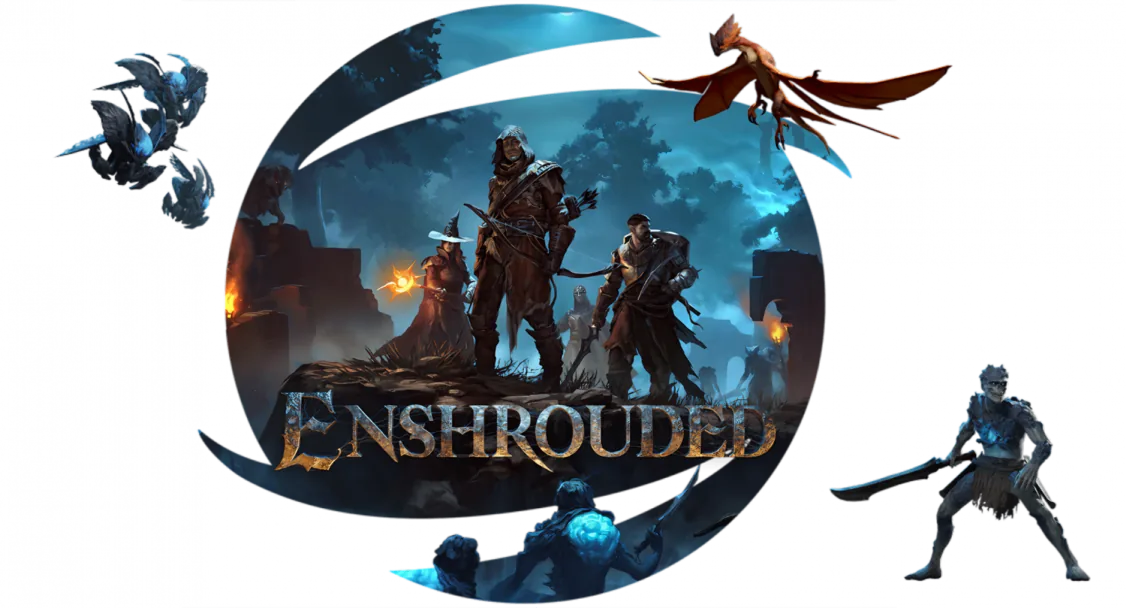
A survival action RPG in a world consumed by a corrupting fog: explore ruins, fight what lives in the Shroud, and rebuild a settlement above it. Voxel building means your base can be anything you can carve, and a party of adventurers can turn a ruin into a stronghold.
Enshrouded server RAM requirements
8-16 GB. Enshrouded is one of the more memory-hungry survival servers, and voxel terrain edits accumulate.
| Your server | Starting RAM | From (Budget, weekly) |
|---|---|---|
| 1–6 players, a fresh world | 8 GB | $3.92 / week |
| 6–12 players, several big bases | 12 GB | $5.88 / week |
| 12–16 players, a long-running world | 16 GB | $7.84 / week |
Keen Games' own numbers: the server process sits at about 4.4 GB idle, each player adds up to 100 MB, and a world save grows from about 1 MB toward 100 MB as the bases get bigger. 8 GB covers most groups; the larger plans are headroom for huge builds and full servers. Resize the plan whenever the build outgrows it, and the world carries over untouched. Player limit: 16 is the supported maximum.
How to set up a Enshrouded server on GameTeam
Pick RAM and a location
Start at 8 GB for a normal party. Choose the location nearest your group (25+ worldwide, from Germany to Singapore). Changing location later keeps the world intact.
Set name, slots and roles
Tell the copilot the server name, how many slots, and who gets Admin, Friend or Guest access, or edit enshrouded_server.json in the file manager. Bringing a world with you? Upload it to the savegame folder, or ask support to move it.
Join from the server list
In Enshrouded pick Join, switch on Show dedicated servers in the filter and find your server by name. Enter the password for your role and you're in.
Good to know before you start
The world is created on first boot and the server name, password and slot count come from the JSON config rather than from an in-game menu.
The most common problem
Voxel terrain edits accumulate in the save, so memory use climbs over the life of a world rather than staying flat.
Enshrouded server settings explained
Everything sits in enshrouded_server.json, in the same folder as enshrouded_server.exe. The server writes it on first start. Make changes with the server off, and they load on the next start. Individual gameplay values only take effect when gameSettingsPreset is Custom. These are the keys owners change most:
| Setting | What it does |
|---|---|
name | Server name in the server list. Every player can see it. |
slotCount | Players at once, from 1 to 16. Fewer slots means less load on the CPU and RAM. |
queryPort | The one network port the server uses: 15637 by default. |
userGroups | Roles, each with its own password. A fresh file has Admin, Friend, Guest and Visitor with random passwords. The password a player joins with sets their permissions. |
canKickBan / canAccessInventories | Per-role rights to kick and ban players, and to open chests and other containers. |
canEditBase / canExtendBase / canEditWorld | Per-role rights to build inside bases, to place or upgrade Flame Altars, and to dig or build in the world outside bases. |
reservedSlots | Slots held for one role, so Admins or Friends still get in when Guests fill the server. |
gameSettingsPreset | Default, Relaxed, Hard, Survival or Custom. |
randomSpawnerAmount | How many enemies spawn: Few, Normal, Many, Extreme, or Automatic (new in 1.0, scales with the size of the party nearby). |
enemyDamageFactor / enemyHealthFactor | Scale enemy damage (0.25–5) and health (0.25–4). Bosses have their own two keys. |
resourceDropStackAmountFactor | Materials per loot stack in chests and from enemies, 0.25–2. |
dayTimeDuration / nightTimeDuration | Day and night length, in nanoseconds. The defaults are 30 minutes and 12 minutes. |
tombstoneMode | What a player drops on death: AddBackpackMaterials (the default), Everything or NoTombstone. |
enableTextChat / enableVoiceChat | Both are off in a fresh file. voiceChatMode switches voice between Proximity and Global. |
Can I add mods to a Enshrouded server?
Enshrouded has no official mod support for dedicated servers yet; server behaviour is set through the configuration file.
What you can change is the world itself: five difficulty presets, 38 individual values under gameSettings (from enemy health to plant growth speed) and per-role permissions. The Enshrouded server settings guide explains every one.
Enshrouded server ports
Older guides also list 15636, from an Early Access gamePort setting that is no longer in the file. Hosting with GameTeam means no router setup at all: give your friends the address and port the panel lists, which isn't always 15637.
Pay per GB of RAM. Never per slot.
You pay for memory, not seats, and billing can be weekly, so you are never locked into a month the group might not play. Change RAM in one click, or switch the same server to another game. The AI copilot is included on every plan.
- ✓ AI copilot included on every plan
- ✓ Unlimited player slots — we never charge per slot
- ✓ Ryzen 9 7950X · NVMe storage
- ✓ DDoS protection included
- ✓ Switch to another game anytime
- ✓ 25 GB NVMe storage · 160 Gbps DDoS protection
- ✓ AI copilot included on every plan
- ✓ Unlimited player slots — we never charge per slot
- ✓ Ryzen 9 7950X · Unlimited NVMe storage
- ✓ 480 Gbps DDoS protection
- ✓ Switch to another game anytime
- ✓ Dedicated threads
- ✓ Automatic backups
- ✓ Priority support
Hardware & network
Locations
What server owners say
"Honestly didn't expect much from an 'AI manager', but it's how I run my server now. I'll type something like 'why did the server crash last night' and it actually reads the logs and tells me."
Verified review
"I'd been on two other hosts before this. What sold me was the AI manager catching a memory leak in one of my mods and naming the exact one — something I'd been chasing for weeks."
Verified review
"I'm not very technical and setting up servers always stressed me out. Now I just ask the assistant to fix a config, and it either walks me through it or does it for me."
Verified review
Enshrouded server hosting FAQ
Do you need a dedicated server for Enshrouded?
No. A player can host their own world for friends, but then the world is only online while that player is in it. A dedicated server keeps it running all day, so anyone can log in, build and explore on their own schedule. That is what Enshrouded dedicated server hosting is for. Characters are saved on each player's PC either way; only the world lives on the server.
How much does an Enshrouded server cost?
Server hosting for Enshrouded on GameTeam is priced per GB of RAM: $0.49/GB a week on Budget, or $1.99/GB billed monthly. The cheapest Enshrouded server we'd recommend is 8 GB at $3.92 a week, and a 16 GB plan costs $7.84 a week. There are no slot fees on top, so that is the whole Enshrouded dedicated server price, and the AI copilot is included. Weekly billing suits an Enshrouded server rental for a group that plays hard for a month and then moves on.
How many players can join an Enshrouded server?
Up to 16. That cap is Enshrouded's own (slotCount accepts 1 to 16). Slots are never what we bill for: you pay for RAM, and the slot count is yours to set.
Why is my Enshrouded server overloaded?
The "server overloaded" message is the game's server-performance warning: the server is under more load than its CPU or RAM can handle. Each slot adds load, so lowering slotCount helps on weak hardware, and Keen recommends an 8-core CPU for 16 players. Enshrouded 1.0 also reworked these warnings because they used to fire too early, so update first. If it keeps happening on GameTeam, ask the copilot to check the log.
Can I host an Enshrouded server on Linux?
Not natively. Keen Games ships the dedicated server for Windows only and says Linux support is planned. Linux hosts run the Windows build under Wine or Proton, which is how community Docker images such as mornedhels/enshrouded-server work. With Enshrouded game server hosting on GameTeam you don't touch any of that: you get the panel, the file manager and the copilot.
Can I make my Enshrouded server private?
Yes. Enshrouded private server hosting works through passwords: every role has its own, and nobody can join without one. A freshly created config already gives each role a random password, so change them to something you can share and hand each friend the one for their role. The settings guide shows how roles work.
Can I move my existing Enshrouded world to GameTeam?
Yes. Your character comes along automatically because it is stored on your own PC. The world goes into the server's savegame folder: stop the server, upload the world with the file manager and start it again, or ask our support team to do the move. Enshrouded 1.0 backs up and converts saves from version 0.8 or earlier the first time it loads them.
How do my friends join my Enshrouded server?
In Enshrouded, pick Join, switch on Show dedicated servers in the server filter and look for your server's name. If it doesn't appear, put the IP and query port shown in the GameTeam panel into Steam's favorites (View → Game Servers → Favorites) and it shows at the top of the list. Each player enters the password for their role.
What are the Enshrouded server hosting requirements?
For 4–6 players Keen Games recommends a 6-core, 12-thread CPU at 3.2 GHz, 16 GB of RAM in the machine, an SSD with 30 GB free and 2 Mbit/s of upload per player. For 16 players, step up to 8 cores and 16 threads at 3.7 GHz. Renting skips the hardware entirely; we suggest starting at 8 GB of RAM.
Run it yourself — or let the copilot.
Same server, any game.



Keep Embervale lit while you're offline.
Spin up a server, describe your rules and roles to the copilot, and hand each friend their password.
Deploy your Enshrouded server