Whether it's a quiet survival world with friends or a modpack with three hundred mods, it lives on your server, always on — and the AI copilot installs the mods, changes the versions and fixes the crashes for you. Plans start at $0.49/GB.
PUISSANCE RYZEN 9 – INSTALLATION INSTANTANÉE – COPILOTE AI INCLUS
HÉBERGEMENT PROPULSÉ PAR L'AI
Dis-lui simplement ce que tu veux. L'AI gère ton serveur pour toi.
Pas de menus confus. Pas de wiki à lire. Écris ce que tu veux — comme un message à un ami — et c'est fait en quelques secondes.
Minecraft
Pendant que tu joues avec tes amis, l'AI garde ton serveur en marche.
Ton AI
Ton monde Minecraft
Mods et plugins
Installe les mods que je veux sur mon serveur
AI
Installés. Je redémarre le serveur pour que tu puisses jouer ?
Réparer les plantages
Pourquoi mon serveur Minecraft a-t-il planté ?
AI
Il a manqué de mémoire. Je lui ai donné plus de RAM — ça devrait rouler maintenant.
Paramètres
Mets 50 joueurs max et désactive le PvP
AI
Réglé — 50 joueurs, PvP désactivé. Je le redémarre maintenant ?
Sauvegardes
Sauvegarde mon serveur avant que je change des trucs
AI
Sauvegarde enregistrée et verrouillée pour ne pas être supprimée. Tout est sûr !
Fichiers
Mods et plugins
Réparer les plantages
Paramètres
Sauvegardes
Planifications
Versions du jeu
Démarrer et arrêter
AUCUNE COMPÉTENCE TECHNIQUE REQUISE
Tu joues. L'AI fait les corvées.
Les autres hébergeurs te donnent un panel et un wiki géant en te souhaitant bon courage. Nous te donnons une AI qui l'a déjà lu pour toi.
Minecraft
Pas de commandes. Pas de fichiers de config. Juste jouer.
Les autres hébergeurs
Débugger à 3 h du matin
Lire 12 pages de wiki juste pour ajouter un mod
Veiller jusqu'à 3 h du matin pour réparer un plantage
Éditer des fichiers de config obscurs pour chaque changement
Chercher la bonne version d'un mod sur 3 sites différents
Configurer les sauvegardes à la main en espérant qu'elles marchent
Bidouiller les réglages en priant pour que rien ne casse
VS
Avec GameTeam AI
Une phrase. C'est fait.
Installe mon serveur, ajoute les add-ons que je veux, optimise-le et sauvegarde-le chaque nuit.
Période de facturation pour — tu peux changer d'offre ci-dessus à tout moment
Minecraft
Commence à explorer le monde de Minecraft !
Joue à Minecraft en multijoueur
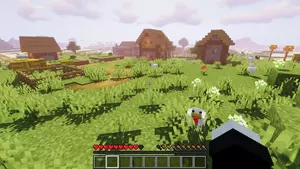
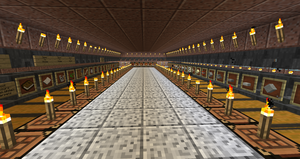
Minecraft is the game that became a platform: survival worlds, creative builds, minigame networks and modpacks that turn it into something else entirely. What stays constant is the world — your builds, your farms, your friends' bases — in one place that is always there when you come back.
GameTeam est derrière toi
Pourquoi héberger Minecraft chez GameTeam ?
Why Minecraft Players Choose GameTeam
Minecraft servers die when the admin gets tired — of updating the modpack, of the crash nobody can read, of the friend who wants one more mod. Here you say it and it happens: "install Create", "update to 1.21", "why won't it start" — the AI copilot does the work and tells you what it did. Pay by the week, bring as many players as you like (you pay for RAM, not seats), and when the world runs its course, the same server becomes your next one — whatever the game. First 72 hours money-back.
Mods by Name
Ask for a mod or a modpack; the copilot finds the file for your version and loader and installs it.
Crashes, Read for You
When the server will not start, the copilot reads latest.log and names the mod — not a generic error.
Vanilla to Modded, No Rebuild
Change version, loader or the whole pack from the panel; the world stays put.
Modpacks GameTeam
Les plus populaires parmi des dizaines de milliers de modpacks !
The classic mod loader. Run any Forge mod or modpack on the original Minecraft. En savoir plus →
Tekkit
The Technic pack that made industrial Minecraft famous: machines, power, automation and quarries. En savoir plus →
Bedrock
The Minecraft that runs on phones, consoles and Windows 10 — one server for all of them. En savoir plus →
RLCraft
The hardcore survival modpack. Realistic damage, dragons, thirst and a first night you will not survive. En savoir plus →
All the Mods 8
Over 350 mods on 1.19.2 with quests and shaders — the biggest kitchen-sink pack of its generation. En savoir plus →
All the Mods 7
The 1.18 edition of the ATM kitchen sink: every favourite mod plus a wave of new ones. En savoir plus →
All the Mods 6
The huge 1.16.5 pack. Can you reach the creative items by making an ATM Star? En savoir plus →
All the Mods 5
ATM on 1.15.2 — the classic lineup with the content that arrived for that version. En savoir plus →
All the Mods 3
The 1.12.2 ATM. Everything you loved from the era of tech and magic, in one pack. En savoir plus →
All the Magic Spellbound
ATM's magic-only pack for 1.16: Botania, Ars Nouveau, Occultism and friends, no tech. En savoir plus →
All of Fabric 6
The ultimate Fabric pack for 1.19 — 390+ mods, 1000+ quests, and Fabric-level performance. En savoir plus →
All of Fabric 5
Fabric on 1.18 with 1000+ quests, technology, magic and exploration. En savoir plus →
All of Fabric 4
The best of Fabric on 1.17.1: performance, tech and magic in a lighter package. En savoir plus →
All of Fabric 3
Fabric on 1.16.5 with quests and a performance-first mod list. En savoir plus →
Agrarian Skies
The original quest-driven skyblock: start on a floating island and farm your way to a civilization. En savoir plus →
Age of Engineering
Tech-only progression pack with a guide and trophies — from stone age to fusion, one age at a time. En savoir plus →
Age of Fate
A hard, expert-mode pack built around progression through the mods rather than around them. En savoir plus →
Advent of Ascension Plus
Dozens of new dimensions and bosses to fight through, built around the Advent of Ascension mod. En savoir plus →
Abyss Hunter
The bosses have awakened. Become the hunter who takes them down, one dungeon at a time. En savoir plus →
Antimatter Chemistry
Stranded in the antimatter dimension, you use chemistry — real chemistry — to build your way home. En savoir plus →
Astroblock
Stranded on an asteroid; find your way back to Earth in this space skyblock. En savoir plus →
Astroblock 2
Lost in space, now searching for a habitable planet — the sequel skyblock among the stars. En savoir plus →
Astropolis
Start on an asteroid and navigate across the stars to rebuild what was lost. En savoir plus →
Automaton
A compact 1.12.2 questing pack focused on Immersive Engineering and automation. En savoir plus →
Andromeda Automation
A skyblock built around automation, with custom quests to guide you off the starting island. En savoir plus →
Amnesia
The whole world has amnesia: recipes are random, mobs are strange, and you relearn everything. En savoir plus →
Awakening
280+ mods and 800+ quests. A long, semi-hardcore magic and tech playthrough. En savoir plus →
Azuria RockBlock 3
Azuria's take on StoneBlock 3: dig outward from a single room and build a factory in the rock. En savoir plus →
Ascent to Power
Rise to the challenge — fight powerful foes with equally powerful gear. En savoir plus →
ArctiCraft
The pack Forge Labs used for "100 Days in the Arctic": frozen survival where the cold is the enemy. En savoir plus →
Amazing Xray
Xray, and not much else. Find every ore instantly — for creative or casual worlds. En savoir plus →
Amazing FPS Booster
A Fabric performance pack: play modded Minecraft with zero lag on modest hardware. En savoir plus →
Animals and Pets
A gentle pack full of new animals, pets and the mods that make caring for them fun. En savoir plus →
Become a Werewolf
Become the werewolf you were afraid of — transformation, hunger and a full moon to fear. En savoir plus →
Avaritia Adventures Remake
Everything ends in Avaritia: an endgame-focused pack built around the infamous Infinity items. En savoir plus →
Avatar: Age of the Blood Moon
An Avatar: The Last Airbender pack — bend the elements and survive the blood moon. En savoir plus →
Avatar: The Four Elements
Master water, earth, fire and air bending in Minecraft. En savoir plus →
Attack on Titan
Titans, ODM gear and walls to defend — the anime, in Minecraft. En savoir plus →
Aliens and Parasites
Parasites spread, aliens land, and the world gets steadily more hostile the longer you survive. En savoir plus →
All the Horror
All the best horror mods in one 1.12.2 pack. Play it with the lights on. En savoir plus →
All the Lucky Blocks
Every lucky block variant at once — Shade, Plural, Fantasia and more. Break and pray. En savoir plus →
All of Origins
Pick an origin — enderian, avian, merling and many more — and play the game their way. En savoir plus →
A Lot of Origins
Inspired by the OriginSMP series: dozens of origins to choose from on one shared server. En savoir plus →
Fabric Simple Origins
Origins plus the essential Fabric performance mods — the light way to run an Origins SMP. En savoir plus →
A Morph'n Good Time
Kill it, become it. A simple pack about morphing into the mobs you meet. En savoir plus →
A Mutant World
Ruined cities crawling with zombies and mutants — survive, scavenge, hold a base. En savoir plus →
Zombie Apocalypse
The dead have risen. Scavenge, fortify and outlast the horde with your group. En savoir plus →
Crafting Dead
Zombie survival built on the Crafting Dead mod: guns, loot, and a world that wants you gone. En savoir plus →
Advanced Military
Modern warfare in Minecraft: guns, vehicles, armour and the bases to fight over. En savoir plus →
Oh the Biomes You'll Go
Exploration first — dozens of new biomes to discover, each with its own look and loot. En savoir plus →
Another Quality Modpack 2
A curated kitchen-sink pack that favours quality over quantity. En savoir plus →
Another Quality Modpack 3
The third AQM: a curated all-rounder with tech, magic and exploration in balance. En savoir plus →
Arcane's Mine Piece
A One Piece-inspired adventure pack: devil fruits, crews and a world to sail. En savoir plus →
All in One
A bit of everything: tech, magic, exploration and building in one balanced pack. En savoir plus →
Alar
An RPG-style pack aiming for realism: classes, dungeons and a world with weight to it. En savoir plus →
Ne va pas loin
Nos serveurs sont présents partout dans le monde.
Questions fréquentes
Les questions que tu te poses peut-être.
FAQ hébergement de serveur Minecraft.
How much RAM does Minecraft need on a dedicated server?
2-4 GB for a vanilla or Paper survival server. Plugin networks want 6 GB, and large Forge or NeoForge modpacks realistically start at 8-10 GB.
Can I install mods when hosting Minecraft?
Yes, and this is where the AI copilot does the most work: it searches CurseForge and Modrinth, picks the file matching your Minecraft version and loader, and installs it. Paper and Purpur plugins, Forge, NeoForge and Fabric mods, and full modpacks are all supported.
How many players can Minecraft support on one server?
10-20 on a vanilla-style server, and far more on Paper or Purpur with tuned view distance. Modpacks are the limiting case, where 10 players can outweigh 40 on vanilla.
Which Java version does a Minecraft server need?
Minecraft 1.17 to 1.20.x and the Forge and NeoForge builds for them run on Java 17. Minecraft 1.21 and later need Java 21. Older packs from 1.12 to 1.16 need Java 8. If the console shows UnsupportedClassVersionError or "has been compiled by a more recent version of the Java Runtime", the image is wrong for the pack and the fix is switching the Docker image, not reinstalling.
Why does a modpack crash immediately after it installs?
Installing a modpack is two steps. The install itself runs on a temporary installer image that has no Java, so starting on it fails with java: No such file or directory or exit code 127. The server has to be finalized onto the runtime image first, keeping the downloaded files. GameTeam does this automatically once the install finishes, and the AI copilot will also do it on request.
Can I switch between Vanilla, Paper, Forge and Fabric later?
Yes. The version changer swaps server software and Minecraft version in place, so a server that started as Vanilla can become Paper, Fabric or a Forge modpack without losing its files or changing address.
How do I change Minecraft server settings on GameTeam?
Settings for Minecraft live in server.properties, which you can edit directly in the panel file manager. You can also describe the change in plain language and let the GameTeam AI copilot make it — it reads the file first, applies the edit and reads the value back, so you can see what actually changed. Console access, power controls, backups and schedules stay available either way.
Comment créer un serveur Minecraft ?
Créer un serveur Minecraft prend quelques minutes : choisissez une offre, définissez vos options et l'assistant automatique s'occupe du reste. Aucune compétence technique requise.
FAQ hébergement de serveur Minecraft.
Comment sauvegarder mon serveur Minecraft ?
Dans le panel de votre serveur, ouvrez l'outil de sauvegarde et cliquez sur 'Backup Now' : le système enregistre l'état actuel de votre serveur Minecraft.
Combien de temps prend l'activation d'un serveur Minecraft ?
Votre serveur Minecraft est actif quelques secondes après le paiement : vous pouvez jouer presque immédiatement.
Comment migrer mon serveur Minecraft existant vers GameTeam ?
Nous prenons en charge la migration de votre serveur Minecraft. Contactez le support, préparez vos données et nous vous guidons étape par étape. Si vous préférez le faire vous-même, un guide est disponible sur notre blog.
Comment mettre à jour mon serveur Minecraft ?
Les mises à jour de Minecraft se font depuis le panel : arrêtez le serveur avec 'Stop' puis relancez-le ; le système installe automatiquement la dernière version.
J'ai un problème avec Minecraft, pouvez-vous m'aider ?
Bien sûr. Notre équipe est disponible 24h/24 et 7j/7 pour tout problème sur votre serveur Minecraft. Ouvrez simplement un ticket depuis votre panel.
Puis-je annuler, améliorer ou réduire mon hébergement Minecraft ?
Vous gérez votre hébergement Minecraft quand vous le souhaitez : annulation, montée ou descente d'offre depuis votre espace de facturation, ou via le support.
Puis-je passer de Minecraft à un autre jeu ?
Oui, tu peux basculer ton serveur sur un autre jeu quand tu veux. Nous proposons plus de 70 jeux et c'est toi qui choisis lequel tu veux jouer.
Puis-je changer l'emplacement de mon serveur Minecraft ?
Oui, et sans aucune perte de données. Le transfert est entièrement automatique : votre serveur change de région en quelques minutes.
Minecraft
Official Game Trailer
Tutoriels serveurs de jeu
Ne te perds pas dans Google. Tous les guides dont tu as besoin sont sur notre blog.