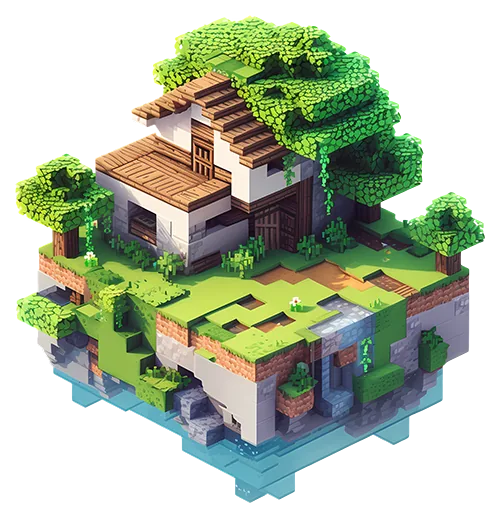
HOSTING MIT AI

Minecraft Server Hosting.

Whether it's a quiet survival world with friends or a modpack with three hundred mods, it lives on your server, always on — and the AI copilot installs the mods, changes the versions and fixes the crashes for you. Plans start at $0.49/GB.

RYZEN 9 POWER – SOFORT EINSATZBEREIT – AI-COPILOT INKLUSIVE
HOSTING MIT AI

Sag einfach, was du willst.
Die AI führt deinen Server für dich.

Keine verwirrenden Menüs. Keine Wiki-Seiten zum Durchlesen. Schreib, was du willst – wie eine Nachricht an einen Freund – und es passiert in Sekunden.

Minecraft

Während du mit deinen Freunden spielst, hält die AI deinen Server am Laufen.

Mods & Plugins
Installier die Mods, die ich will, auf meinem Server
Installiert. Soll ich den Server neu starten, damit du loslegen kannst?
Abstürze beheben
Warum ist mein Minecraft-Server abgestürzt?
Der Arbeitsspeicher war voll. Ich habe mehr RAM zugewiesen – jetzt sollte es laufen.
Einstellungen
Setze maximal 50 Spieler und schalte PvP aus
Fertig – 50 Spieler, PvP aus. Soll ich jetzt neu starten?
Backups
Sichere meinen Server, bevor ich etwas ändere
Backup gespeichert und gegen Löschen gesperrt. Alles sicher!
Dateien
Mods & Plugins
Abstürze beheben
Einstellungen
Backups
Zeitpläne
Spielversionen
Start & Stopp
KEINE TECHNIKKENNTNISSE NÖTIG

Du spielst. Die AI erledigt den langweiligen Teil.

Andere Anbieter geben dir ein Panel und ein riesiges Wiki und wünschen viel Erfolg. Wir geben dir eine AI, die es schon gelesen hat.

Minecraft

Keine Befehle. Keine Konfigdateien. Einfach spielen.

Andere Anbieter
Debuggen um 3 Uhr nachts
12 Wiki-Seiten lesen, nur um eine Mod hinzuzufügen
Bis 3 Uhr morgens einen Absturz suchen
Für jede Änderung kryptische Konfigdateien bearbeiten
Auf 3 Webseiten nach der richtigen Mod-Version suchen
Backups von Hand einrichten und hoffen, dass sie laufen
An Einstellungen schrauben und beten, dass nichts kaputtgeht
VS
Mit GameTeam AI
Ein Satz. Fertig.
Richte meinen Server ein, installier die Add-ons, die ich will, mach ihn flüssig und sichere ihn jede Nacht.
YOU
Server eingerichtet
Add-ons installiert
Für flüssige Performance optimiert
Nächtliche Backups aktiviert
Server wird gestartet

Minecraft

Wähl den Tarif, der zu dir passt, und leg los!

Budget

Budget-Server

$0.49 USD / pro GB RAM
  • Ryzen 9 CPUs
  • Unbegrenzte Spieler-Slots
  • Spielwechsel jederzeit
  • Sofortige Aktivierung
  • 25 GB NVMe SSD-Speicher
  • 160 Gbps DDoS-Schutz
BUDGET WÄHLEN
Am beliebtesten
Premium

Premium-Server

$0.74 USD / pro GB RAM
  • Ryzen 9 CPUs
  • Unbegrenzte Spieler-Slots
  • Spielwechsel jederzeit
  • Sofortige Aktivierung
  • Unbegrenzt NVMe SSD-Speicher
  • 480 Gbps DDoS-Schutz
  • Dedizierte Threads
  • Automatische Backups
  • Priorisierter Support
PREMIUM WÄHLEN
Abrechnungszeitraum für — Tarif jederzeit oben wechselbar

Minecraft

Entdecke die Welt von Minecraft!

Minecraft is the game that became a platform: survival worlds, creative builds, minigame networks and modpacks that turn it into something else entirely. What stays constant is the world — your builds, your farms, your friends' bases — in one place that is always there when you come back.

GameTeam steht hinter dir

Warum Minecraft bei GameTeam hosten?

Minecraft servers die when the admin gets tired — of updating the modpack, of the crash nobody can read, of the friend who wants one more mod. Here you say it and it happens: "install Create", "update to 1.21", "why won't it start" — the AI copilot does the work and tells you what it did. Pay by the week, bring as many players as you like (you pay for RAM, not seats), and when the world runs its course, the same server becomes your next one — whatever the game. First 72 hours money-back.

Ask for a mod or a modpack; the copilot finds the file for your version and loader and installs it.

When the server will not start, the copilot reads latest.log and names the mod — not a generic error.

Change version, loader or the whole pack from the panel; the world stays put.

GameTeam Modpacks

Die beliebtesten aus Zehntausenden Modpacks!

Forge
The classic mod loader. Run any Forge mod or modpack on the original Minecraft.
Mehr ansehen →
Tekkit
The Technic pack that made industrial Minecraft famous: machines, power, automation and quarries.
Mehr ansehen →
Bedrock
The Minecraft that runs on phones, consoles and Windows 10 — one server for all of them.
Mehr ansehen →
RLCraft
The hardcore survival modpack. Realistic damage, dragons, thirst and a first night you will not survive.
Mehr ansehen →
All the Mods 8
Over 350 mods on 1.19.2 with quests and shaders — the biggest kitchen-sink pack of its generation.
Mehr ansehen →
All the Mods 7
The 1.18 edition of the ATM kitchen sink: every favourite mod plus a wave of new ones.
Mehr ansehen →
All the Mods 6
The huge 1.16.5 pack. Can you reach the creative items by making an ATM Star?
Mehr ansehen →
All the Mods 5
ATM on 1.15.2 — the classic lineup with the content that arrived for that version.
Mehr ansehen →
All the Mods 3
The 1.12.2 ATM. Everything you loved from the era of tech and magic, in one pack.
Mehr ansehen →
All the Magic Spellbound
ATM's magic-only pack for 1.16: Botania, Ars Nouveau, Occultism and friends, no tech.
Mehr ansehen →
All of Fabric 6
The ultimate Fabric pack for 1.19 — 390+ mods, 1000+ quests, and Fabric-level performance.
Mehr ansehen →
All of Fabric 5
Fabric on 1.18 with 1000+ quests, technology, magic and exploration.
Mehr ansehen →
All of Fabric 4
The best of Fabric on 1.17.1: performance, tech and magic in a lighter package.
Mehr ansehen →
All of Fabric 3
Fabric on 1.16.5 with quests and a performance-first mod list.
Mehr ansehen →
Agrarian Skies
The original quest-driven skyblock: start on a floating island and farm your way to a civilization.
Mehr ansehen →
Age of Engineering
Tech-only progression pack with a guide and trophies — from stone age to fusion, one age at a time.
Mehr ansehen →
Age of Fate
A hard, expert-mode pack built around progression through the mods rather than around them.
Mehr ansehen →
Advent of Ascension Plus
Dozens of new dimensions and bosses to fight through, built around the Advent of Ascension mod.
Mehr ansehen →
Abyss Hunter
The bosses have awakened. Become the hunter who takes them down, one dungeon at a time.
Mehr ansehen →
Antimatter Chemistry
Stranded in the antimatter dimension, you use chemistry — real chemistry — to build your way home.
Mehr ansehen →
Astroblock
Stranded on an asteroid; find your way back to Earth in this space skyblock.
Mehr ansehen →
Astroblock 2
Lost in space, now searching for a habitable planet — the sequel skyblock among the stars.
Mehr ansehen →
Astropolis
Start on an asteroid and navigate across the stars to rebuild what was lost.
Mehr ansehen →
Automaton
A compact 1.12.2 questing pack focused on Immersive Engineering and automation.
Mehr ansehen →
Andromeda Automation
A skyblock built around automation, with custom quests to guide you off the starting island.
Mehr ansehen →
Amnesia
The whole world has amnesia: recipes are random, mobs are strange, and you relearn everything.
Mehr ansehen →
Awakening
280+ mods and 800+ quests. A long, semi-hardcore magic and tech playthrough.
Mehr ansehen →
Azuria RockBlock 3
Azuria's take on StoneBlock 3: dig outward from a single room and build a factory in the rock.
Mehr ansehen →
Ascent to Power
Rise to the challenge — fight powerful foes with equally powerful gear.
Mehr ansehen →
ArctiCraft
The pack Forge Labs used for "100 Days in the Arctic": frozen survival where the cold is the enemy.
Mehr ansehen →
Amazing Xray
Xray, and not much else. Find every ore instantly — for creative or casual worlds.
Mehr ansehen →
Amazing FPS Booster
A Fabric performance pack: play modded Minecraft with zero lag on modest hardware.
Mehr ansehen →
Animals and Pets
A gentle pack full of new animals, pets and the mods that make caring for them fun.
Mehr ansehen →
Become a Werewolf
Become the werewolf you were afraid of — transformation, hunger and a full moon to fear.
Mehr ansehen →
Avaritia Adventures Remake
Everything ends in Avaritia: an endgame-focused pack built around the infamous Infinity items.
Mehr ansehen →
Avatar: Age of the Blood Moon
An Avatar: The Last Airbender pack — bend the elements and survive the blood moon.
Mehr ansehen →
Avatar: The Four Elements
Master water, earth, fire and air bending in Minecraft.
Mehr ansehen →
Attack on Titan
Titans, ODM gear and walls to defend — the anime, in Minecraft.
Mehr ansehen →
Aliens and Parasites
Parasites spread, aliens land, and the world gets steadily more hostile the longer you survive.
Mehr ansehen →
All the Horror
All the best horror mods in one 1.12.2 pack. Play it with the lights on.
Mehr ansehen →
All the Lucky Blocks
Every lucky block variant at once — Shade, Plural, Fantasia and more. Break and pray.
Mehr ansehen →
All of Origins
Pick an origin — enderian, avian, merling and many more — and play the game their way.
Mehr ansehen →
A Lot of Origins
Inspired by the OriginSMP series: dozens of origins to choose from on one shared server.
Mehr ansehen →
Fabric Simple Origins
Origins plus the essential Fabric performance mods — the light way to run an Origins SMP.
Mehr ansehen →
A Morph'n Good Time
Kill it, become it. A simple pack about morphing into the mobs you meet.
Mehr ansehen →
A Mutant World
Ruined cities crawling with zombies and mutants — survive, scavenge, hold a base.
Mehr ansehen →
Zombie Apocalypse
The dead have risen. Scavenge, fortify and outlast the horde with your group.
Mehr ansehen →
Crafting Dead
Zombie survival built on the Crafting Dead mod: guns, loot, and a world that wants you gone.
Mehr ansehen →
Advanced Military
Modern warfare in Minecraft: guns, vehicles, armour and the bases to fight over.
Mehr ansehen →
Oh the Biomes You'll Go
Exploration first — dozens of new biomes to discover, each with its own look and loot.
Mehr ansehen →
Another Quality Modpack 2
A curated kitchen-sink pack that favours quality over quantity.
Mehr ansehen →
Another Quality Modpack 3
The third AQM: a curated all-rounder with tech, magic and exploration in balance.
Mehr ansehen →
Arcane's Mine Piece
A One Piece-inspired adventure pack: devil fruits, crews and a world to sail.
Mehr ansehen →
All in One
A bit of everything: tech, magic, exploration and building in one balanced pack.
Mehr ansehen →
Alar
An RPG-style pack aiming for realism: classes, dungeons and a world with weight to it.
Mehr ansehen →

Bleib in der Nähe

Unsere Serverstandorte sind über die ganze Welt verteilt.

Häufig gestellte Fragen

Fragen, die du dir vielleicht stellst.

Icon

Minecraft Server-Hosting FAQ.

How much RAM does Minecraft need on a dedicated server?

2-4 GB for a vanilla or Paper survival server. Plugin networks want 6 GB, and large Forge or NeoForge modpacks realistically start at 8-10 GB.

Can I install mods when hosting Minecraft?

Yes, and this is where the AI copilot does the most work: it searches CurseForge and Modrinth, picks the file matching your Minecraft version and loader, and installs it. Paper and Purpur plugins, Forge, NeoForge and Fabric mods, and full modpacks are all supported.

How many players can Minecraft support on one server?

10-20 on a vanilla-style server, and far more on Paper or Purpur with tuned view distance. Modpacks are the limiting case, where 10 players can outweigh 40 on vanilla.

Which Java version does a Minecraft server need?

Minecraft 1.17 to 1.20.x and the Forge and NeoForge builds for them run on Java 17. Minecraft 1.21 and later need Java 21. Older packs from 1.12 to 1.16 need Java 8. If the console shows UnsupportedClassVersionError or "has been compiled by a more recent version of the Java Runtime", the image is wrong for the pack and the fix is switching the Docker image, not reinstalling.

Why does a modpack crash immediately after it installs?

Installing a modpack is two steps. The install itself runs on a temporary installer image that has no Java, so starting on it fails with java: No such file or directory or exit code 127. The server has to be finalized onto the runtime image first, keeping the downloaded files. GameTeam does this automatically once the install finishes, and the AI copilot will also do it on request.

Can I switch between Vanilla, Paper, Forge and Fabric later?

Yes. The version changer swaps server software and Minecraft version in place, so a server that started as Vanilla can become Paper, Fabric or a Forge modpack without losing its files or changing address.

How do I change Minecraft server settings on GameTeam?

Settings for Minecraft live in server.properties, which you can edit directly in the panel file manager. You can also describe the change in plain language and let the GameTeam AI copilot make it — it reads the file first, applies the edit and reads the value back, so you can see what actually changed. Console access, power controls, backups and schedules stay available either way.

Wie richte ich einen Minecraft Server ein?

Ein Minecraft Server ist in wenigen Minuten startklar: Plan wählen, Servereinstellungen festlegen — den Rest übernimmt der automatische Einrichtungsassistent. Technisches Vorwissen brauchst du nicht.

Icon

Minecraft Server-Hosting FAQ.

Wie erstelle ich ein Backup meines Minecraft Servers?

Im Serverpanel findest du das Backup-Tool. Ein Klick auf 'Backup Now' sichert den aktuellen Stand deines Minecraft Servers.

Wie lange dauert die Aktivierung bei Minecraft?

Dein Minecraft Server ist in der Regel Sekunden nach der Zahlung aktiv — du kannst praktisch ohne Wartezeit losspielen.

Wie ziehe ich meinen bestehenden Minecraft Server zu GameTeam um?

Wir übernehmen den Umzug deines bestehenden Minecraft Servers. Schreib unserem Support, halte deine Serverdaten bereit, und wir begleiten dich Schritt für Schritt. Wer lieber selbst umzieht, findet in unserem Blog eine Anleitung.

Wie aktualisiere ich meinen Minecraft Server?

Updates für Minecraft laufen über das Panel: Server per 'Stop' anhalten und neu starten — das System bringt deinen Server automatisch auf die neueste Version.

Ich habe Probleme mit Minecraft, könnt ihr helfen?

Klar. Unser Support ist rund um die Uhr erreichbar und hilft bei jedem Problem mit deinem Minecraft Server. Schreib uns einfach ein Ticket im Kontrollpanel.

Kann ich das Hosting für Minecraft kündigen, upgraden oder downgraden?

Dein Minecraft Hosting kannst du jederzeit anpassen: kündigen, upgraden oder downgraden — direkt im Billing-Bereich oder über unseren Support.

Kann ich von Minecraft zu einem anderen Spiel wechseln?

Ja, du kannst deinen Server jederzeit auf ein anderes Spiel umstellen. Wir bieten über 70 Spiele an – welches du spielst, entscheidest ganz allein du.

Kann ich den Serverstandort für Minecraft ändern?

Ja, und dabei gehen keine Daten verloren. Der Umzug läuft vollautomatisch und dein Server ist in wenigen Minuten am gewünschten Standort.

Minecraft

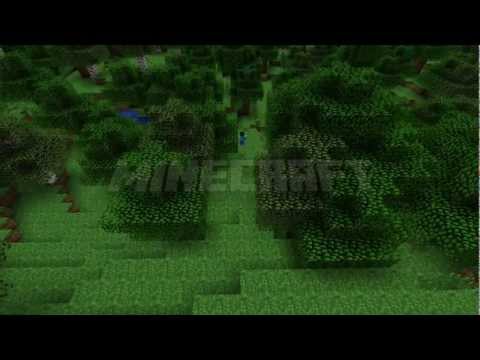
Official Game Trailer

Minecraft trailer

Gameserver-Tutorials

Verlier dich nicht in Google. Alle Guides, die du brauchst, stehen in unserem Blog.